Q3osc: works: Difference between revisions
| Line 15: | Line 15: | ||
TO LAUNCH: | TO LAUNCH: | ||
Type "q3osc" to launch bash script in /Users/slork/slork/scripts/ | Type "q3osc" to launch bash script in /Users/slork/slork/scripts/ | ||
"q3osc <user-number> <sounding-radius> <host-ip>" | |||
e.g.: | e.g.: | ||
shabushabu:~ slork$ q3osc 3 900 10.0.1.189 | |||
- calls "chuck -c8 /Users/slork/slork/users/rob/q3osc/quintet.ck:3:900 | |||
- launches /Applications/OpenArena and connects to ip address 10.0.1.189 on default port 27660 | |||
- exec's a specific config file for each performer based on their user number: | |||
1: pspeed.cfg | |||
2: gspeed.cfg | |||
3: hspeed.cfg | |||
4: gravity.cfg | |||
example call: ''/Applications/OpenArena.app/Contents/MacOS/ioquake3.ub connect 10.0.1.189:27660'' | |||
Revision as of 05:42, 12 May 2008
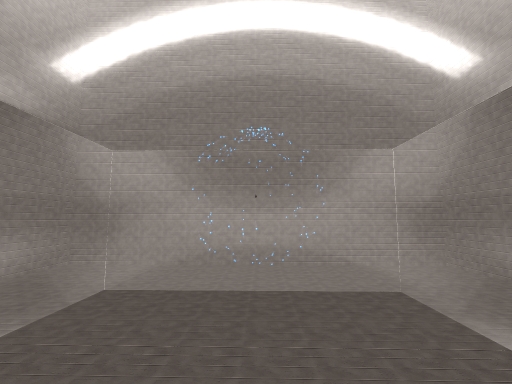
q3osc is a heavily modified version of the ioquake3 gaming engine featuring an integrated oscpack implementation of Open Sound Control for bi-directional communication between a game server and a multi-channel ChucK audio server. By leveraging ioquake3’s robust physics engine and multiplayer network code with oscpack’s fully-featured OSC specification, game clients and previously unintelligent in-game weapon projectiles can be repurposed as behavior-driven independent OSC-emitting virtual sound-sources spatialized within a multi-channel audio environment for real-time networked performance.
Quintet: 5 for 4
Quintet: 5 for 4 is an improvisatory etude written for the Stanford Laptop Orchestra using q3osc and ChucK.
Files
q3osc Installer: [q3osc.zip]
Quintet ChucK script: [quintet.ck]
Instructions
TO LAUNCH:

Type "q3osc" to launch bash script in /Users/slork/slork/scripts/

	"q3osc <user-number> <sounding-radius> <host-ip>"

e.g.:

 	shabushabu:~ slork$ q3osc 3 900 10.0.1.189

 		- calls "chuck -c8 /Users/slork/slork/users/rob/q3osc/quintet.ck:3:900
 		- launches /Applications/OpenArena and connects to ip address 10.0.1.189 on default port 27660
 		- exec's a specific config file for each performer based on their user number:
 			1:	pspeed.cfg
 			2:	gspeed.cfg
 			3:	hspeed.cfg
 			4:	gravity.cfg

 example call: /Applications/OpenArena.app/Contents/MacOS/ioquake3.ub connect 10.0.1.189:27660